When the Tide Comes In: What's Really Behind Website Crashes at Your Busiest Moments
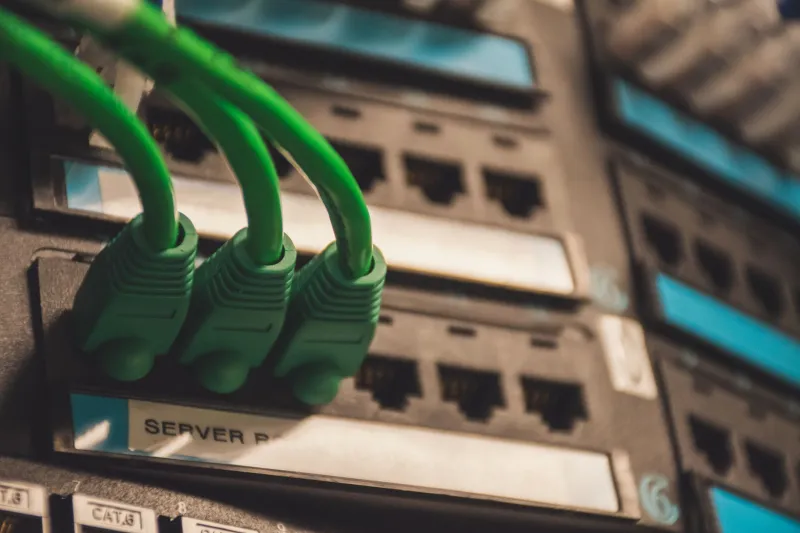
Picture this: you've spent two weeks planning a Black Friday sale. The email goes out at 8 a.m. Social media is buzzing. And then — nothing. Your site won't load. Customers are refreshing. Your phone is lighting up with "is your website down?" messages. By the time things come back online, the moment has passed and so have the customers.
This isn't a freak accident. It's one of the most predictable — and preventable — disasters in small business web ownership. And yet it keeps happening, over and over, because most business owners don't think about their hosting infrastructure until it's already failing them.
Let's dig into why.
Your Hosting Plan Was Built for Average Days, Not Big Ones
When you signed up for a shared hosting plan a few years back, you probably weren't thinking about what happens when five hundred people try to load your site at the same time. Most entry-level hosting plans aren't designed for traffic spikes — they're designed for the quiet Tuesday afternoon version of your website.
Shared hosting, which is what a huge chunk of small business websites run on, means your site is sharing server resources — CPU, memory, bandwidth — with dozens or even hundreds of other websites. On a normal day, that's fine. But when traffic surges, that shared pool gets drained fast. Your site slows to a crawl, then times out entirely.
It's a little like trying to run a summer sidewalk sale inside a tiny hallway. Works great when two people show up. Complete chaos when twenty arrive at once.
The Traffic Spike Problem Is More Common Than You Think
You don't have to be running a major national campaign to experience a traffic spike. It could be:
- A local news story that mentions your business
- A TikTok or Instagram post that unexpectedly goes semi-viral
- A seasonal promotion that hits harder than expected
- A partner or influencer sending their audience your way
Any of these scenarios can send a wave of visitors to your site that your current setup simply wasn't built to handle. And here's the brutal part — the people who show up during those moments are often the most motivated buyers you'll ever have. They're warm. They're ready. And if your site can't hold up, they'll take their money somewhere else without a second thought.
What "Uptime" Actually Means for Your Bottom Line
Hosting companies love to advertise "99.9% uptime" like it's some kind of gold standard. And sure, it sounds impressive. But do the math: 99.9% uptime still allows for roughly 8.7 hours of downtime per year. If those hours happen to land during your biggest sales window of the season, that number stops sounding so great.
Uptime isn't just a technical metric — it's a revenue metric. Every minute your site is down during a high-intent traffic moment is a transaction that didn't happen, a customer who found a competitor, and a first impression that you'll never get to make again.
The Infrastructure Upgrades Worth Knowing About
You don't need to become a server administrator to protect your site. But you do need to understand a few concepts that can make a real difference.
Scalable hosting — sometimes called cloud hosting or VPS (Virtual Private Server) hosting — gives your site the ability to pull in additional resources when traffic jumps. Instead of hitting a ceiling, your site scales up to meet demand. It costs a bit more than basic shared hosting, but for a business that runs seasonal promotions or has any social media presence at all, it's worth every penny.
Content Delivery Networks (CDNs) are another layer of protection. A CDN stores copies of your site's content across multiple servers around the country (and the world), so visitors are served from the location closest to them. This reduces load on your main server and speeds up delivery — two things that directly impact whether your site survives a surge.
Caching is the process of storing pre-built versions of your pages so the server doesn't have to rebuild them from scratch every time someone visits. For content-heavy sites, proper caching can dramatically cut server load during busy periods.
Monitoring: Don't Wait for a Customer to Tell You
One of the most common ways business owners find out their site is down? A customer emails them. That's a terrible early warning system.
There are simple, often free or low-cost monitoring tools — like UptimeRobot, Freshping, or built-in dashboards offered by quality hosting providers — that will alert you the second your site goes offline. Some will even tell you how long it's been down and from which locations. Setting up basic uptime monitoring takes about ten minutes and could save you thousands in lost revenue.
Beyond just checking whether your site is "up," it's worth periodically testing your site's actual load time and performance under pressure. Tools like Google PageSpeed Insights or GTmetrix can show you how your site behaves and flag bottlenecks before they become full-blown failures.
Reliability Is a Brand Statement
Here's something that often gets overlooked in the technical conversation: your website's reliability is part of your brand. When a customer lands on your site and it's slow, unresponsive, or down entirely, that's an experience. And it's one they associate with your business — not with your hosting company.
For small businesses especially, where trust is hard-won and competition is fierce, a site that consistently performs well is a quiet but powerful signal. It says you're professional. You're dependable. You've got your act together. That matters to customers, even if they'd never articulate it that way.
Don't Let Your Best Moments Become Your Worst Ones
The good news is that website downtime during high-traffic moments isn't inevitable. It's a solvable problem. But it requires treating your hosting infrastructure as a business investment rather than a line item to minimize.
If you're still on a basic shared hosting plan, it's worth having a real conversation about whether that setup can actually support the business you're running — or the business you're trying to grow into. Because the tide will come in. The question is whether your site is built to handle it.